একটি প্রতিনিধিত্বমূলক টার্গেট চয়ন করুন
সেটের সংখ্যাগরিষ্ঠ অংশকে সবচেয়ে ভালোভাবে প্রতিফলিত করে এমন চিত্র ব্যবহার করুন।


একটি reference face একাধিক ছবিতে প্রয়োগ করুন। সর্বমোট সর্বোচ্চ ২০টি ইনপুট ছবি, মোট ৯৫ MB এবং প্রতি ফলে 6 ক্রেডিট।
বিনামূল্যে শুরু: অ্যাকাউন্ট ছাড়াই আপনার ছবি বেছে নিন ও যাচাই করুন। তৈরি হওয়া প্রতিটি ছবির খরচ 6 ক্রেডিট, এবং জমা দেওয়ার আগেই সঠিক মোট পরিমাণ দেখানো হয়। সব দাম দেখুন
প্রথমবার ক্রেডিট কেনার আগ পর্যন্ত ট্রায়াল ছবিতে DeepSwapAI.com ও অ্যাকাউন্টের ইমেইলসহ ওয়াটারমার্ক থাকে।
DeepSwapAI স্টুডিও
একটি ফোকাসড ওয়ার্কস্পেসে ছবি, ব্যাচ, গ্রুপ ফটো, ভিডিও এবং GIF ওয়ার্কফ্লো আপলোড, ম্যাপ, প্রিভিউ এবং স্যুইচ করুন।
ফটো ওয়ার্কফ্লো
একটি সোর্স ফটো এবং একটি ফেস রেফারেন্স আপলোড করুন, তারপর দৃশ্য অক্ষত রেখে পরিচয় পরিবর্তন করুন।
ঠিক একটি মুখের রেফারেন্স এবং এক বা একাধিক টার্গেট ফটো ব্যবহার করুন।
আউটপুট
নিয়ন্ত্রণ
ফ্রি লোকাল ব্যাচ ম্যানিফেস্ট
একটি ম্যাপিং দিক এবং স্থানীয় ইমেজ ফাইল নির্বাচন করুন। ব্রাউজার মোড সংখ্যা, ঘোষিত ফরম্যাট, প্রতি-ফাইলের আকার, মোট ২০টি ইমেজ, ৯৫টি MB ব্যাচ সীমা, আউটপুট এবং সঠিক ক্রেডিট যাচাই করে।
ঠিক একটি মুখের রেফারেন্স এবং এক বা একাধিক টার্গেট ফটো ব্যবহার করুন।
ঠিক একটি পরিচয় চিত্র চয়ন করুন।
JPEG, PNG, WebP, AVIF, HEIC অথবা HEIF · ৩০ MB প্রতিটি · ২০টি ছবি এবং ৯৫টি MB একত্রিত
প্রতিটি টার্গেট একটি আউটপুট তৈরি করে।
শুধুমাত্র স্থানীয়: ফাইলনেম এবং ফাইল সাইজ এই ডিভাইসে থাকে। এই পরিকল্পনাকারী কোনো ফাইল বাইট আপলোড করে না।
নির্বাচিত ব্যাচের দিকের উভয় পক্ষ চয়ন করুন।
এই পরিকল্পনাকারী শুধুমাত্র ব্রাউজার-দৃশ্যমান ফাইলনেম, ঘোষিত প্রকার, গণনা এবং সাইজ যাচাই করে। এটি মুখ সনাক্ত করে না, পরিচয় বা সম্মতি যাচাই করে না, দৃশ্য সামঞ্জস্য বিচার করে না, বা আউটপুট গুণমান পূর্বাভাস দেয় না। জমা দেওয়ার আগে লাইভ ওয়ার্কস্পেস কর্তৃত্বপূর্ণ থাকে।
বাস্তব ফলাফল
এখানে যাঁদের দেখছেন, তাঁরা সবাই DeepSwapAI-এর AI দিয়ে তৈরি ডেমো ছবি; কেউই বাস্তব মানুষ নন। আমরা এই ওয়ার্কফ্লোর সম্পন্ন হওয়া একটি রান দেখাচ্ছি, ফলাফল যেমন পেয়েছি ঠিক তেমনই।






একটি ব্যাচ রানে প্রতিটি দৃশ্যের ছবির জন্য একটি করে ফলাফল এসেছে।
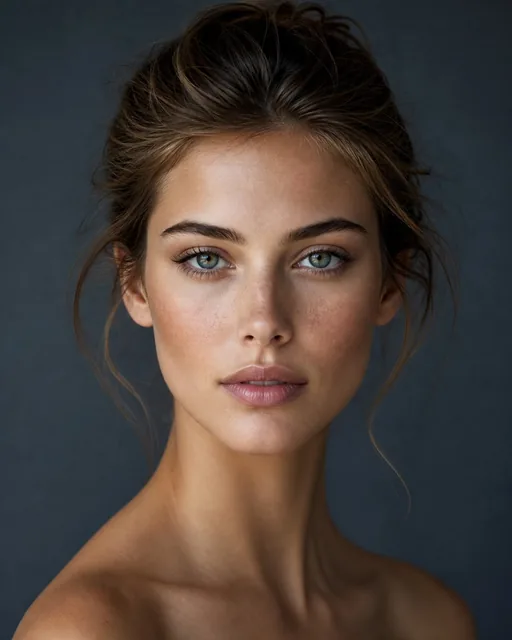
ব্যবহৃত মুখের ছবি · কাটা হয়েছে: 18 ক্রেডিট
কোনো গ্রাহকের আপলোড, স্টক ছবি বা বাস্তব মানুষ ব্যবহার করা হয়নি। প্রতিটি ফলাফল একটি পেইড অ্যাকাউন্টে সম্পন্ন হওয়া একটি রান থেকে এসেছে (তাই ট্রায়াল ওয়াটারমার্ক নেই) এবং কোনো রিটাচ ছাড়াই দেখানো হয়েছে; ওয়েব কপিগুলোর আকার বদলানো ও নতুন করে এনকোড করা হয়েছে। একটি উদাহরণ গুণমানের মানদণ্ড নয়। ইনপুট ও রানের বিস্তারিত দেখুন
পাঁচ-ধাপ ব্যাচ ওয়ার্কফ্লো
সেটের সংখ্যাগরিষ্ঠ অংশকে সবচেয়ে ভালোভাবে প্রতিফলিত করে এমন চিত্র ব্যবহার করুন।
সবচেয়ে গুরুত্বপূর্ণ প্রোফাইল, ছায়া, অভিব্যক্তি বা অবরোধের ক্ষেত্রে অন্তর্ভুক্ত করুন।
পরিচয় রেফারেন্স অদলবদল করার আগে টার্গেটের অবস্থার তুলনা করুন।
উভয় পাইলট ফলাফলের জন্য একই পরিচয়, দৃশ্য এবং প্রযুক্তিগত পরীক্ষা ব্যবহার করুন।
সম্পূর্ণ গ্রুপটি তখনই প্রক্রিয়া করুন যখন পাইলট পাস করে, এবং কঠিন চিত্রগুলিকে একটি পৃথক গ্রুপে move করুন।
লক্ষ্য পুনরাবৃত্তি হলে ব্যাচ বেছে নিন
ব্যাচ ফেস সোয়াপ একটি সেট জুড়ে পৃথক আউটপুট তৈরি করে। যখন একটি গ্রুপ ফটোর ভিতরে বিভিন্ন ব্যক্তিকে প্রতিস্থাপন করতে হয় তখন পরিবর্তে মাল্টিপল ফেস সোয়াপ ব্যবহার করুন।
ব্যাচ এবং গ্রুপ-ফটো ওয়ার্কফ্লো তুলনা করুনএকটি পরিষ্কার রেফারেন্স ফেস টার্গেট ফটোর একটি সেটে প্রয়োগ করুন। অনুরূপ পোজ এবং আলো সহ টার্গেট গ্রুপ করুন, তারপর সম্পূর্ণ ব্যাচের আগে একটি সাধারণ ফটো পরীক্ষা করুন।
বেশ কয়েকটি সোর্স ফেস থেকে একটি টার্গেট ফটোর পৃথক সংস্করণ তৈরি করুন। প্রতিটি সোর্স তার নিজস্ব আউটপুট তৈরি করে; এটি একটি ইমেজের ভিতরে বেশ কয়েকজন ব্যক্তিকে ম্যাপ করে না।
মাত্রা এবং ভিজ্যুয়াল অবস্থা সামঞ্জস্যপূর্ণ রাখুন, পাইলটে একটি কঠিন টার্গেট অন্তর্ভুক্ত করুন এবং একই গ্রহণযোগ্যতার মানদণ্ডের সাথে প্রতিটি ডাউনলোড করা ফলাফল পর্যালোচনা করুন।
মাল্টিপল ফেস সোয়াপে স্যুইচ করুন যখন একটি টার্গেটে বেশ কয়েকজন ব্যক্তি থাকে যাদের প্রত্যেকের আলাদা রেফারেন্স প্রয়োজন। সেই ওয়ার্কফ্লো নির্বাচিত ফেসগুলি স্পষ্টভাবে সনাক্ত করে এবং ম্যাপ করে।
যাচাইকৃত ওয়ার্কফ্লো তথ্য
যেকোনো ব্যাচ দিকনির্দেশ নির্বাচন করুন। ওয়ার্কস্পেস জমা দেওয়ার আগে আউটপুট গণনা এবং সঠিক ক্রেডিট মোট গণনা করে।
দুটি ব্যাচ মোড
একটি মুখ থেকে অনেক ফটো অথবা অনেক সোর্স ফেস থেকে একটি টার্গেট ফটোগৃহীত চিত্র
JPEG · PNG · WebP AVIF · HEIC · HEIFআপলোডের সীমা
মোট ২০টি চিত্র 30 MB প্রতিটি · 95 MB মিলিতসঠিক খরচ
প্রতি আউটপুটে ৬ ক্রেডিট জমা দেওয়ার আগে মোট দেখানো হয়Examples
ছবি, ব্যাচ, গ্রুপ, ভিডিও ও GIF-এর জন্য ক্রেডিট হিসাব করুন।
প্রয়োগকৃত নিয়মBatch: outputs × 6 credits.
| Generated outputs | প্রয়োগকৃত নিয়ম | প্রয়োজনীয় ক্রেডিট |
|---|---|---|
| 1 | 1 × 6 | 6 |
| 5 | 5 × 6 | 30 |
| 12 | 12 × 6 | 72 |
এককালীন ক্রেডিট প্যাক
একবার ক্রেডিট কিনুন এবং ফটো, ব্যাচ, গ্রুপ-ফটো, ভিডিও এবং GIF ওয়ার্কফ্লোতে ব্যবহার করুন। কোনো পুনরাবৃত্ত চার্জ বা স্বয়ংক্রিয় নবায়ন নেই।
নিরাপত্তা সম্মতি মৌলিক
সেরা প্রথম ক্রয়২০০ ক্রেডিট
≈ ৩৩ photos across batch jobs
$৯.৯৯ স্টার্টার প্যাক বেছে নিনস্ট্যান্ডার্ড
প্রতি ক্রেডিটে ২৯% সাশ্রয়৭০০ ক্রেডিট
≈ ১১৬ photos across batch jobs
৭০০ ক্রেডিট পানপ্রিমিয়াম
প্রতি ক্রেডিটে ৩৬% সাশ্রয়২,৫০০ ক্রেডিট
≈ ৪১৬ photos across batch jobs
২,৫০০ ক্রেডিট পানFAQ
এক-থেকে-অনেক এবং অনেক-থেকে-এক মোড, ইমেজ সীমা, আউটপুট মূল্য এবং গ্রুপ-ফটো ম্যাপিং সম্পর্কে সরাসরি উত্তর।
হ্যাঁ। এক-মুখ-থেকে-অনেক-ফটো মোড চয়ন করুন, একটি পরিষ্কার মুখের রেফারেন্স আপলোড করুন এবং টার্গেট ফটো সেট যোগ করুন। প্রতিটি টার্গেট একটি পৃথক ফলাফল তৈরি করে।
হ্যাঁ। অনেক-মুখ-থেকে-এক-টার্গেট মোড চয়ন করুন। প্রতিটি উৎসের মুখ টার্গেটের একটি পৃথক সংস্করণ তৈরি করে; এটি একটি গ্রুপ ফটোর ভিতরে একাধিক ব্যক্তিকে প্রতিস্থাপন করে না।
একটি ব্যাচ মোট ২০টি পর্যন্ত চিত্র গ্রহণ করে, প্রতি চিত্রে ৩০ MB এবং সম্মিলিতভাবে ৯৫ MB সীমা সহ। প্রতিটি উৎপন্ন আউটপুটের খরচ ৬ ক্রেডিট, এবং ট্রায়াল চিত্রগুলি ১০০% সম্পূর্ণ অ্যাকাউন্ট ইমেল দেখায় যতক্ষণ না একটি ক্রেডিট ক্রয় সম্পন্ন হয়।
না। ব্যাচ ফেস সোয়াপ একটি সেট জুড়ে পৃথক আউটপুট ফাইল তৈরি করে। একাধিক ফেস সোয়াপ একটি গ্রুপ ফটোর ভিতরে নির্বাচিত ব্যক্তিদের সাথে বিভিন্ন রেফারেন্স মুখ ম্যাপ করে।
না। এটি এই ব্রাউজারে ফাইলের নাম, ঘোষিত ধরন, গণনা এবং ফাইলের আকার পড়ে এবং কোনও নির্বাচিত ফাইল বাইট আপলোড করে না। ফাইলগুলি কেবল তখনই আপলোড করা হয় যদি আপনি সেগুলি জেনারেশন ওয়ার্কস্পেসে পৃথকভাবে জমা দেন।
সেটআপ বিনামূল্যে। শুধু তৈরি করার সময়ই ক্রেডিট খরচ হয়।
গাইড
গাইড
গাইড
গাইড
গাইড
গাইড
গাইড