
The wrong person changed
Return to the numbered mapping and compare every replacement reference with its selected target. Rebuild the order explicitly before another submission.
Group-photo workflow guide
Build a private numbered worksheet before upload, then confirm the same reference-to-person order in the live detector. The process makes each assignment, measurable limit, and exact credit total visible before submission.
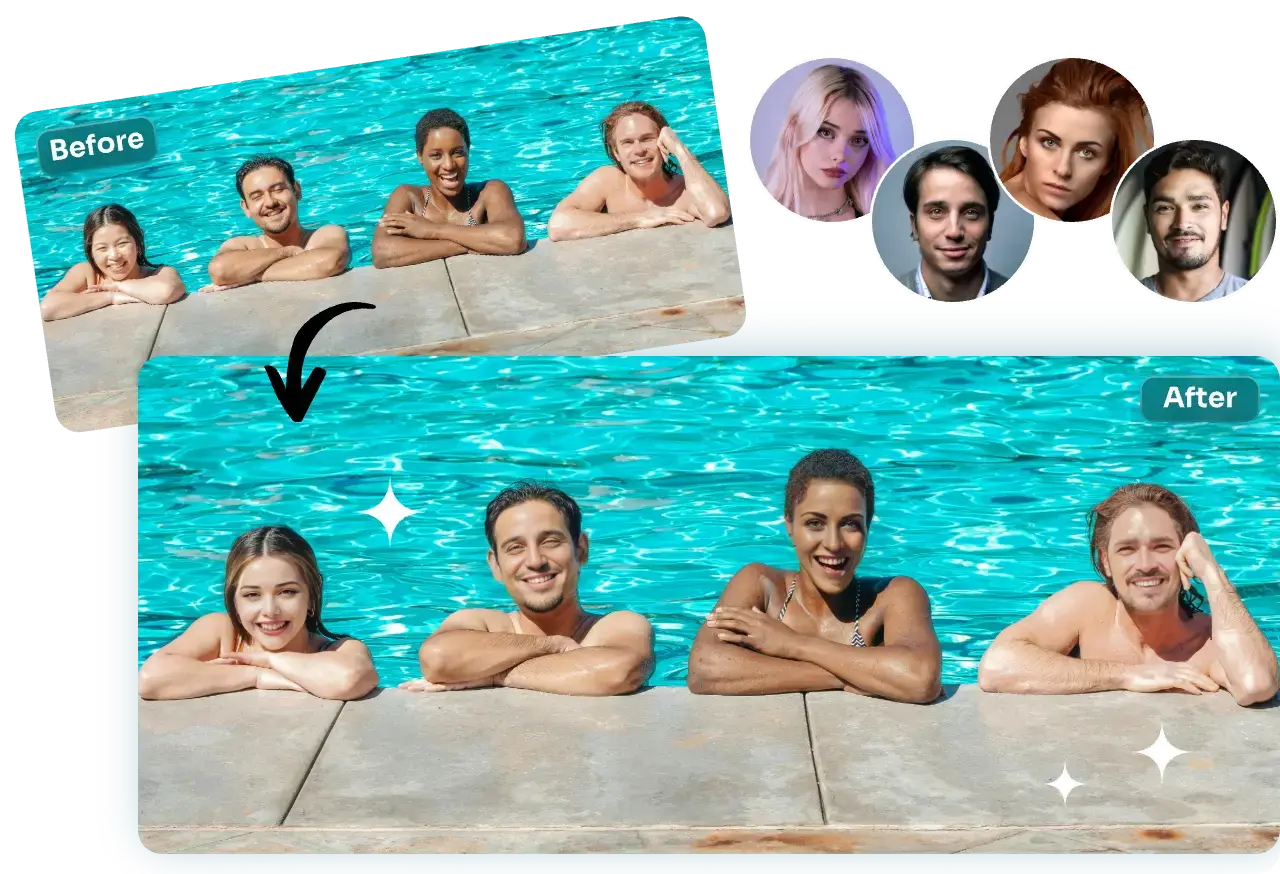
Photo preflight
Start with the group photo, not the replacement portraits. If a target face is tiny, covered, blurred, or merged with another person, the mapping may be clear while the final identity evidence remains weak.
| Check | Prefer | Avoid | Why it matters |
|---|---|---|---|
| Face visibility | Eyes, nose, mouth, and jaw mostly visible | Hands, masks, glare, or hair covering landmarks | Each selected face needs enough structure for identity transfer. |
| Spacing | Faces separated by visible background or clothing | Overlapping heads or one face crossing another | Clear boundaries make detection and result review easier. |
| Angle | Front or moderate turns with compatible references | Extreme profiles paired with only frontal references | Large pose conflicts can weaken shape and identity cues. |
| Resolution | A photo where each intended face can be inspected at normal size | Upscaled thumbnails or heavily compressed downloads | Enlarging the file does not recreate missing facial detail. |
| Unselected people | A clear decision about who should remain unchanged | Selecting every detection without checking its person | Only mapped targets should be replaced. |
Numbered mapping workflow
Diagnosis
Return to the numbered mapping and compare every replacement reference with its selected target. Rebuild the order explicitly before another submission.
Use a target where that face is larger, sharper, and less obstructed. Detection cannot reliably map a person it does not identify.
Replace only that person's reference with a sharper portrait whose pose and expression better match the target face.
Inspect whether the target hides facial landmarks or places moving objects over the face. Hair and accessories belong to the target scene and still need clean boundaries.
Verify the selected detections and inspect the original at normal size. Keep the target count limited to the people you actually intend to replace.
The current settlement is all-or-nothing: credits are charged only when every requested replacement succeeds. Read the live error, correct the cited input or mapping, and resubmit.
Current limits and cost
Before uploading, use the free local group mapping worksheet to choose one group photo, check 1–10 replacement files, create unique numbered assignments, calculate the exact 6-credit-per-selected-face total, and export JSON or CSV without sending the selected files. It does not detect faces, validate identity or consent, inspect file bytes, predict output quality, or replace the live workspace mapping.
If the same identity must be applied across several separate photos rather than several people in one group photo, follow the batch face swap guide; the two workflows use different inputs, mapping, and credit calculations.
| Item | Current behavior | Practical check |
|---|---|---|
| Accepted images | JPEG, PNG, and WebP | Use the original file rather than a repeatedly compressed copy. |
| Per-image limit | 30 MB | Check the group photo and every replacement reference. |
| Total upload limit | 95 MB | Count the target plus all replacement files. |
| Replacement limit | Up to 10 identity references | Use one clear reference for each selected target. |
| Current cost | 6 credits per selected face | The amount displayed in the live workspace is the final pre-submission reference. |
| Settlement | All requested replacements must succeed | Credits are charged only after the complete mapped result succeeds. |
Privacy and sharing
Only upload faces you are permitted to use. DeepSwapAI does not use uploaded content to train AI models, and uploaded and generated media is removed from DeepSwapAI servers within 24 hours.
Trial image exports from an account with no completed credit purchase visibly contain DeepSwapAI.com and the account's 100% complete email address. Every character is visible: the address is not masked, shortened, hashed, or omitted, and the interface discloses that exact address before generation. After any completed one-time credit purchase, future image exports are watermark-free; existing trial exports are not changed retroactively. Read the trial watermark and paid-unlock guide, use the batch vs multiple decision guide, and review the privacy and consent checklist before sharing a group edit.
How this guide was made
The DeepSwapAI Product Team reviewed the current detection, numbered mapping, validation, queue, settlement, retention, watermark behavior, and browser-local worksheet boundaries. The guide does not invent an accuracy score, completion time, or output guarantee. Product facts and limits were reviewed on July 28, 2026; see the verification methodology.
Next workflow checks
Upload one representative group photo, confirm every numbered target, and review the exact cost and full-email trial watermark disclosure before submission.