
Choose batch face swap
You need multiple output image files: one identity across several target photos, or several source identities applied to one target as separate generated outputs.
Workflow decision guide
Batch face swap creates several output images. Multiple face swap maps several replacement identities into selected people inside one group photo. The names sound similar, but the tasks are not interchangeable.
Fast decision
You need multiple output image files: one identity across several target photos, or several source identities applied to one target as separate generated outputs.
You need one mapped group-photo result where selected detected people receive different replacement identities.
Batch mode organizes repeated image outputs. It does not provide the numbered person-to-reference mapping used inside one group photo.
Multiple face swap starts from one group photo. It is not the workflow for producing a folder of separate target-image results.
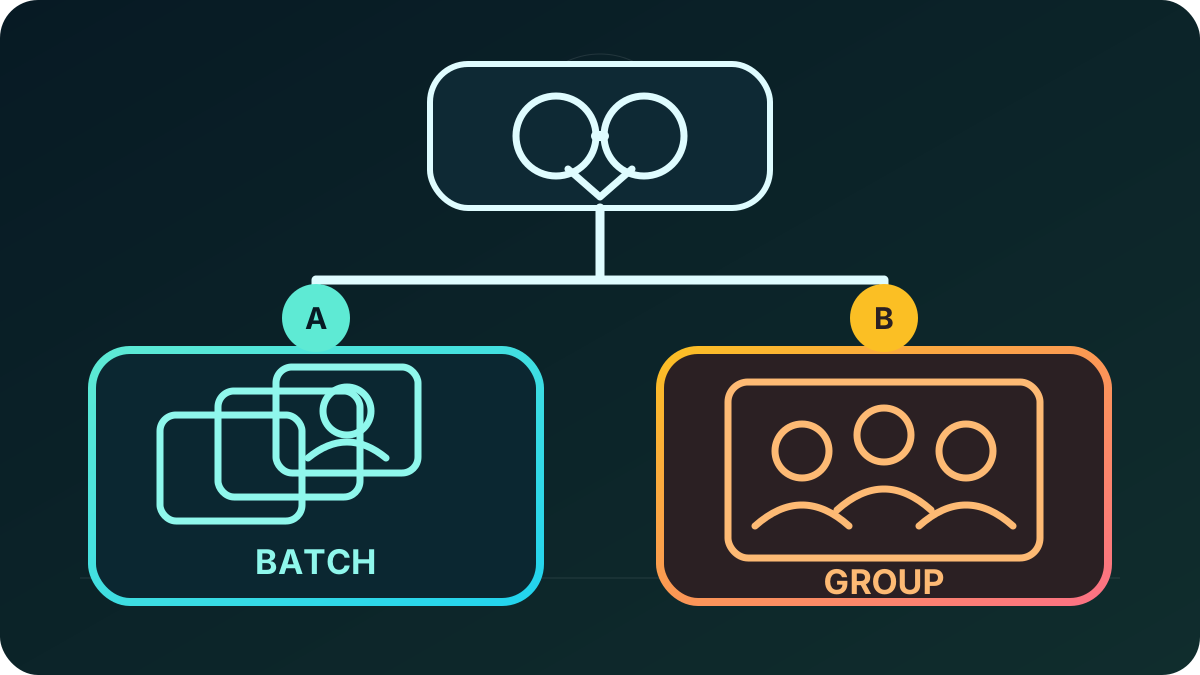
Verified workflow facts
| Decision | Batch face swap | Multiple face swap |
|---|---|---|
| Primary result | Multiple generated output images | One group-photo result with selected mapped replacements |
| Input pattern | One face reference to multiple target photos, or multiple source faces to one target photo | One group photo plus one replacement reference for each selected detected face |
| Current image count | Up to 20 images per batch | Up to 10 replacement identity references |
| Accepted image types | JPEG, PNG, WebP, AVIF, HEIC, and HEIF | JPEG, PNG, and WebP |
| Upload limits | 30 MB per image and 95 MB combined | 30 MB per image and 95 MB for the complete task |
| Current cost | 6 credits per generated output | 6 credits per selected face |
| Pre-submission control | Review the displayed output count and exact credit total | Review every numbered target-to-reference mapping and selected-face total |
| Settlement | Each requested output contributes to the displayed task total | Credits are charged only after every selected mapping completes successfully |
Open the batch workspace or the multiple face swap workspace only after the expected result matches the row above.
Cost examples
| Example task | Calculation | Current total |
|---|---|---|
| One identity across 8 separate targets | 8 batch outputs x 6 credits | 48 credits |
| 4 selected people in one group photo | 4 selected faces x 6 credits | 24 credits |
| 5 source identities as separate variations of one target | 5 displayed batch outputs x 6 credits | 30 credits |
These examples apply the current documented rate. The exact amount displayed in the live workspace before submission is authoritative. Use the face swap cost calculator to compare a planned task with current package unit values.
Preflight
For an account with no completed credit purchase, a delivered trial image contains DeepSwapAI.com and the account's 100% complete email address. Every character is visible and the address is not masked, shortened, hashed, or omitted. A completed purchase makes future image exports watermark-free; it does not change an existing trial file.
How this guide was made
The DeepSwapAI Product Team compared the live batch modes, mapped group-photo flow, accepted formats, upload limits, pricing units, pre-submission disclosure, settlement behavior, and image-export entitlement. The displayed arithmetic examples were rechecked against the current 6-credit unit. No output-quality ranking or speed benchmark was inferred. Facts were reviewed on August 26, 2026; see the verification methodology and the dedicated batch guide and multiple-face guide.
Next workflow checks
Use batch for several image files or multiple face swap for several mapped people inside one group photo.