Upload de groepsfoto
Kies een duidelijke groepsafbeelding. Gezichtsdetectie wordt uitgevoerd vóór generatie, zodat u kunt inspecteren wie er wordt vervangen.


Selecteer exacte gezichten en koppel elke persoon aan een unieke vervanging. Maximaal 10 gezichten, 30 MB per afbeelding, 95 MB totaal en 6 credits per gezicht.
Gratis beginnen: koppel de gezichten zonder account. Elk geselecteerd gezicht kost 6 credits, die pas worden afgeschreven als elke koppeling is gelukt. Alle prijzen bekijken
Proefafbeeldingen tonen een watermerk met DeepSwapAI.com en het e-mailadres van uw account tot uw eerste aankoop van credits.
Toegevoegd aan de werkruimte hieronder.De werkruimte wordt nog geladen. Probeer het zo meteen opnieuw.DeepSwapAI Studio
Upload, map, bekijk en wissel tussen foto-, batch-, groepsfoto-, video- en GIF workflows in één gerichte werkruimte.
Foto-workflow
Upload een bronfoto en een gezichtsreferentie, vervang vervolgens de identiteit terwijl de scène behouden blijft.
Uitvoer
Bedieningselementen
Gratis lokale groepskaart
Kies één groepsfoto, voeg 1–10 vervangingsafbeeldingen toe, stel het geselecteerde doelaantal in en wijs elk genummerd doel toe. De browser controleert exacte limieten en credits vóór upload.
Kies precies één scène met de personen die u wilt vervangen.
JPEG, PNG of WebP · 30 MB per stuk · 95 MB gecombineerd · tot 10 vervangingen
Kies één duidelijke identiteitsafbeelding per geselecteerd doel.
Alleen lokaal: bestandsnamen, groottes, doellabels en mappings blijven op dit apparaat. Deze planner uploadt geen bestandsbytes.
Gebruik dezelfde genummerde volgorde die later door de live gezichtsdetector wordt weergegeven.
Geef elk doelwit een optioneel lokaal label en wijs vervolgens één unieke referentie toe. Labels helpen bij je beoordeling, maar worden nergens naartoe gestuurd.
Kies één groepsfoto en de vervangende afbeeldingen.
Dit werkblad valideert alleen browsertoezichtbare bestandsnamen, opgegeven typen, aantallen, groottes en uw geplande volgorde. Het detecteert geen gezichten, valideert identiteit of toestemming, inspecteert bestandsbytes, voorspelt uitvoerkwaliteit of vervangt de live werkruimtemapping.
Echt resultaat
Iedereen die u hier ziet, is een door AI gegenereerd demonstratiebeeld van DeepSwapAI, geen echte persoon. We tonen één voltooide uitvoering van deze workflow, precies zoals we die terugkregen.

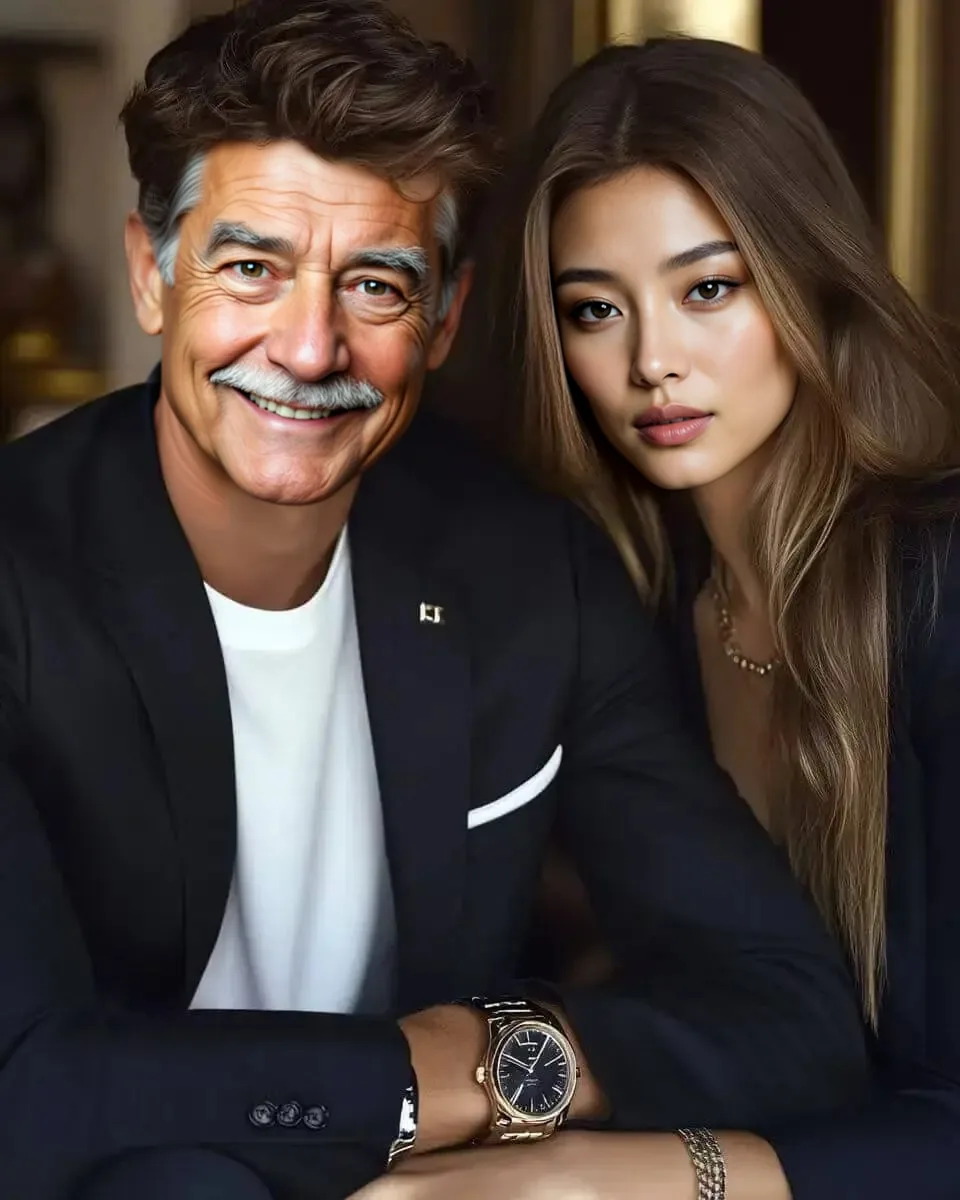
Gezichtsfoto 1 werd aan de man gekoppeld en gezichtsfoto 2 aan de vrouw.
Bij de eerste uitvoering was een harde rand van de uitsnede zichtbaar waar de twee gezichtsgebieden elkaar raakten; we hebben het overvloeien van de gezichten gecorrigeerd en de workflow opnieuw uitgevoerd. Dit is die tweede uitvoering.

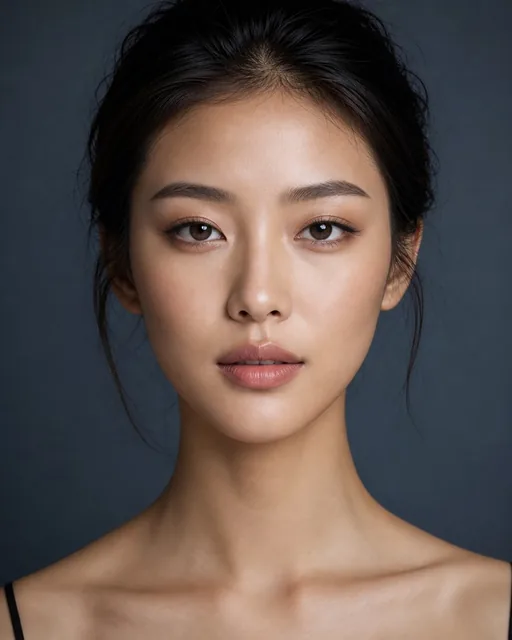
Gebruikte gezichtsfoto's · Afgeschreven: 12 credits
Er is geen klantupload, stockfoto of echte persoon gebruikt. Elk resultaat komt uit één voltooide uitvoering met een betaald account (geen proefwatermerk) en wordt ongeretoucheerd getoond; webkopieën zijn herschaald en opnieuw gecodeerd. Eén voorbeeld is geen kwaliteitsbenchmark. Bekijk de invoer en de details van de uitvoering
DeepSwapAI
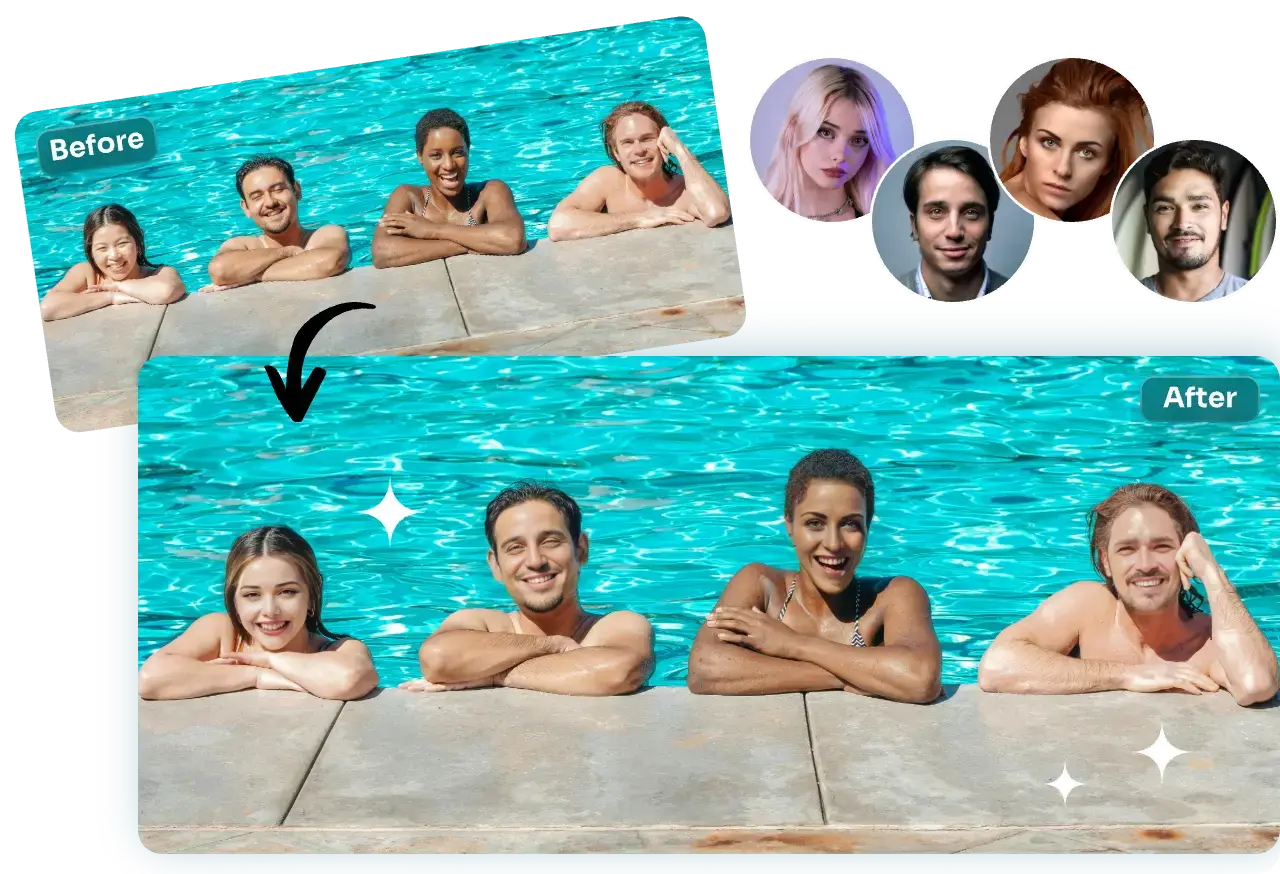
Kies een duidelijke groepsafbeelding. Gezichtsdetectie wordt uitgevoerd vóór generatie, zodat u kunt inspecteren wie er wordt vervangen.
Upload één referentie per vervanging en selecteer vervolgens de gedetecteerde gezichten in dezelfde genummerde volgorde.
De kosten zijn 6 credits per geselecteerd gezicht. Credits worden alleen in rekening gebracht nadat een volledig resultaat is gelukt.
Kies de juiste groepsfoto-opstelling
Geef elke geselecteerde persoon een aparte identiteitsreferentie, houd iedereen buiten de vervangingsmapping en schakel over naar een duidelijker doel wanneer een beoogd gezicht niet kan worden gedetecteerd.
Inspecteer het officiële groepsfotowerkstroomvoorbeeldSelecteer alleen de personen die u wilt vervangen. Begin met een goed verlicht origineel waarbij elk doelgezicht groot genoeg is om te inspecteren.
Wijs een andere identiteitsreferentie toe aan elke geselecteerde persoon en verifieer de volledige genummerde volgorde vóór indiening.
Gebruik de zichtbare mapping om te voorkomen dat de juiste referentie de verkeerde persoon bereikt en bekijk vervolgens elk geselecteerd gezicht in het resultaat.
Kleine, wazige, overlappende of bedekte gezichten worden mogelijk niet gedetecteerd. Gebruik een duidelijker origineel of een minder belemmerd doel voordat u genereert.
Geverifieerde groepsfotofeiten
Detecteer de doelen, wijs elke genummerde referentie toe en bekijk het exacte credittotaal vóór indiening.
Detectie en mapping
Gedetecteerde doelgezichten Expliciete genummerde referentiemappingGeaccepteerde afbeeldingen
JPEG · PNG · WebP Groeps- en referentieafbeeldingenUploadlimieten
Tot 10 vervangingen 30 MB elk · 95 MB gecombineerdExacte afrekening
6 credits per geselecteerd gezicht Alleen in rekening gebracht wanneer elke mapping slaagtEenmalige creditpakketten
Koop credits eenmalig en gebruik ze voor foto-, batch-, groepsfoto-, video- en GIF-workflows. Geen terugkerende kosten of automatische verlenging.
Basis
Beste eerste aankoop200 credits
≈ 33 in kaart gebrachte gezichtsvervangingen
Kies $9,99 startpakketStandaard
Bespaar 29% per credit700 credits
≈ 116 in kaart gebrachte gezichtsvervangingen
Krijg 700 creditsPremium
Bespaar 36% per credit2.500 credits
≈ 416 in kaart gebrachte gezichtsvervangingen
Krijg 2.500 creditsFAQ
Duidelijke limieten, mappinggedrag, prijzen en privacy voor groepsfotogezichtsvervanging.
DeepSwapAI detecteert gezichten in de groepsfoto. U selecteert de personen die u wilt vervangen en elke geüploade referentie wordt toegepast in de genummerde volgorde die vóór generatie wordt weergegeven.
De weergegeven kosten zijn 6 credits voor elk geselecteerd gezicht. Een taak die niet elke geselecteerde mapping kan voltooien, faalt zonder credits in rekening te brengen.
Eén taak ondersteunt maximaal 10 te vervangen gezichten. Gebruik JPEG-, PNG- of WebP-bestanden tot 30 MB per stuk en 95 MB totaal.
DeepSwapAI verwijdert uploads en gegenereerde media van zijn servers binnen 24 uur. Media wordt alleen verwerkt voor de gevraagde taak en wordt niet gebruikt om modellen te trainen.
Nee. Het controleert alleen browsertoezichtbare bestandsnamen, opgegeven typen, aantallen, groottes en de genummerde toewijzingen die u op dit apparaat invoert. Gezichtsdetectie en definitieve mapping vinden alleen plaats nadat u afzonderlijk de live werkruimte gebruikt.
Instellen is gratis. Credits worden alleen gebruikt als u genereert.
Gidsen
Gidsen
Gidsen
Gidsen
Gidsen
Gidsen
Gidsen
Gidsen